Our services include:
Domain Name Registration: Without a name, what is the use of an online presence? How are you and your business identified on the net? What is your dot com? GlobalNet offers domain consulting and registration services that help you decide the best name for your website and also go ahead to procure the name for your use. We also book country-specific names for local companies who wish to concentrate on the local markets.
Web Hosting: We run the most advanced hosting services and offer the same for our clients who wish to host their sites/ applications. Be it a co-located or a dedicated server space, we have a hosting solution for everybody.
Web Design: We offer a wide range of web design concepts so that YOUR web site will exude an aura of professionalism and competitiveness in today’s business arena.
Web Development: We develop web sites that use state-of-the-art technology, are easy to maintain and effectively present your organization to the web audience.
Accessibility
What is Accessibility
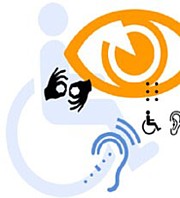
Accessibility is a general term used to describe the degree to which a product (e.g., device, service, environment) is accessible by as many people as possible. Accessibility can be viewed as the "ability to access" the functionality, and possible benefit, of some system or entity. Accessibility is often used to focus on people with disabilities and their right of access to entities, often through use of assistive technology. Several definitions of accessibility refer directly to access-based individual rights laws and regulations.
Accessibility involves two key issues: first, how users with disabilities access electronic information, and second, how web content designers and developers enable web pages to function with assistive devices used by individuals with disabilities. For the user with a disability, the challenge is to identify tools that provide the most convenient access to web-based and other electronic information. For the web content designer/developer, the challenge is to remove the obstacles that prevent accessibility tools from functioning effectively. In many cases, these challenges are relatively simple to overcome, but sometimes the solutions require some additional thought and effort.
PDF Accessibility
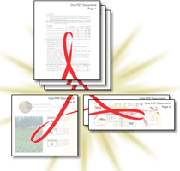
The goal of the accessibility advocate is to improve accessibility for people with disabilities, period. We’re not interested in making only HTML web pages accessible. The entirety of web content is our purview, and that includes formats like PDF and indeed Flash. Creating accessible tagged PDF files will make PDF files accessible to standard screen readers which support tagged PDF (like JAWS and Window Eyes).
The PDF file format provides robust support for needed information to enable users with various disabilities to gain access to content delivered via PDF files. However, some people believe that PDF is an inaccessible file format. This belief is often based on outdated or incorrect information. In this article, we aim to clarify what the strengths and limitations of PDF are.
The PDF file format includes a mechanism for conveying important information about documents. Some of the most important information that users with disabilities need includes equivalents for images, information about document semantics such as heading elements, lists, and tables, designation of document language, and a linear reading order for the content. Adobe Reader is able to correctly interpret this information and conveys it to the assistive technologies that users depend on (including screen readers).
Adobe Reader also provides additional features to help users access PDF documents, including support for high-contrast views of PDF documents, a built-in reading tool, a document zooming and reflow tool, and the ability to add accessibility information automatically through a programmatic process. Not all PDF documents are accessible, but this is most often a factor of PDF authoring rather than a problem with Adobe Reader or of the file format itself. PDF documents need to be created by tools that support the accessibility features of the PDF file format. There is a growing collection of tools available for authors to use to create PDF documents that include accessibility information and that support "tagged PDF" (tagged PDF refers generically to a PDF document that includes accessibility information).
Tools that support the creation of tagged PDF include Adobe Acrobat (including PDFMaker for Microsoft Word-based PDF publishing), Adobe InDesign, Adobe Framemaker, Adobe LiveCycle, as well as third party tools such as Microsoft Word and OpenOffice Writer. Irrespective of the authoring tool used, the document production process needs to include efforts to provide the necessary information. Authors who are not aware of the accessibility concerns may inadvertently neglect to provide this information resulting in PDF documents that are less accessible to end users.
In extreme examples, PDF documents that are created through a scanning process such as is possible on many office copy machines are initially comprised only of an image of the page that was scanned providing no accessibility information for end users who need text. Whether delivered as a PDF file or JPG or TIFF image, a picture of a document is not an accessible delivery vehicle and is a practice that is desirable to avoid even though OCR tools exist to extract the text of the document and that can be provided within PDF tags to make the scanned document more accessible. All documents offered in PDF (as well as in other formats) need attention from the document authors to ensure that the information is available to all users. Authors who do attend to accessibility in their production process are able to deliver documents to that users who are blind, have low-vision, or who have mobility or cognitive impairments will be able to readily access. Using tools that support tagged PDF and providing necessary information are the necessary basic steps toward accessible PDF.
Do you have existing PDFs?
We can apply the necessary techniques to make your existing PDFs accessible.
Do you have documents in other file formats?
We can convert many file formats to PDF and make them accessible.
Why Aren't PDFs Accessible?
Standard PDFs lack semantic structure that would benefit users of assistive technologies such as screen readers. This means there is no indication of the document's structure and there is no differentiation between the text in headings, body text, lists and tabular data. Also there is no alternate text for images, so any information conveyed by means of images is not available to such users.
What Makes PDFs Accessible?
The accessibility of PDFs can be greatly improved by adding "tags" to the file. These contain information about the structure of the document such as header locations, lists, tables, hyperlinks and alternative text descriptions for images. Tagging a PDF also provides control over the order in which the content is read. These factors together allow users of assistive technologies such as screen readers to understand the document and navigate within it more easily. The Accessibility section of the Adobe website contains a great deal of information about PDF accessibility.
Download the Accessible PDF file of our Profile
Web Accessibility
Web accessibility refers to the practice of making websites usable by people of all abilities and disabilities. When sites are correctly designed, developed and edited, all users can have equal access to information and functionality. When text and images are large and/or enlargeable, it is easier for users with poor sight to read and understand the content. When links are underlined (or otherwise differentiated) as well as coloured, this ensures that colorblind users will be able to notice them. When clickable links and areas are large, this helps users who cannot control a mouse with precision. When pages are coded so that users can navigate by means of the keyboard alone, or a single switch access device alone, this helps users who cannot use a mouse or even a standard keyboard.
Video Accessibility (Video Captioning)
Video normally contains a significant amount of visual and audio information, and understanding of the content requires access to both these channels. But people who cannot see the visual content of the video may as a result be unable to fully understand the video if visual or audio events happen and are not detectable or their context explained by the video's soundtrack. For example, someone in a video may make a facial expression which adds an ironic or sarcastic tone to what they say, but this important cue is entirely visual so would be missed by anyone unable to see the video. The same goes for some aural events - for example, if a character fires a gun, the gunshot will be heard, but anyone unable to see the film would not know who fired the gun without an additional explanation. Thus, the provision of audio descriptions - additional spoken audio information explaining or describing events - is necessary to enable understanding. As with captioning, there is a degree of subjectivity to provision of audio descriptions, and there is a distinct lack of authoritative guidance on provision of audio descriptions.
What are Captions?
Captions are text versions of the spoken word. Captions allow the content of web audio and video to be accessible to those who do not have access to audio. Though captioning is primarily intended for those who cannot hear the audio, it has also been found to help those that can hear audio content and those who may not be fluent in the language in which the audio is presented.
On the web, synchronized, equivalent captions should be provided any time audio content is present. This obviously pertains to the use of audio and video played through multimedia players such as Quicktime, RealPlayer, or Windows Media Player, but can also pertain to such technologies as Flash, Shockwave, or Java when audio content is a part of the multimedia presentation. Transcripts also provide an important part of making web multimedia content accessible. Transcripts allow anyone that cannot access content from web audio or video to read a text transcript instead. Transcripts do not have to be verbatim accounts of the spoken word in a video. They can contain additional descriptions, explanations, or comments that may be beneficial. Transcripts allow deaf/blind users to get content through the use of refreshable Braille and other devices. For most web video, both captions and a text transcript should be provided. For content that is audio only, then a transcript will usually suffice.
Transcripts provide a textual version of the content that can be accessed by anyone. They also allow the content of your multimedia to be searchable. Screen reader users may also prefer the transcript over listening to the audio of the web multimedia. Most proficient screen reader users set their assistive technology to read at a rate much faster than most humans speak. This allows the screen reader user to access the transcript of the video and get the same content in less time than listening to the actual audio content.
Web programming offered by federal government agencies or by federal contractors must be accessible, under Section 508 of the Rehabilitation Act. Regardless of the final determination on these matters, the NAD strongly encourages producers and distributors of streaming video to caption those offerings.
Why Caption?
Captioning offers the following important benefits:
- ADA Compliance: Compliance with ADA or Section 508, which mandates all media content should be captioned.
- Captioning allows a larger community to have access to videos or classroom lectures. Captioning/subtitles is now a key element of video presentation and design.
- Captioning improves comprehension for all viewers, especially persons with hearing disadvantage or those learned English as a second language.
- Underdeveloped English skills on the part of the listener or heavy accents on the part of the speaker all work to deteriorate the message being communicated. Captioning can improve comprehension in all these cases.